 KMyMoney
Made by KDE
KMyMoney
Made by KDE
KMyMoney
Made by KDE
KMyMoney
Made by KDE
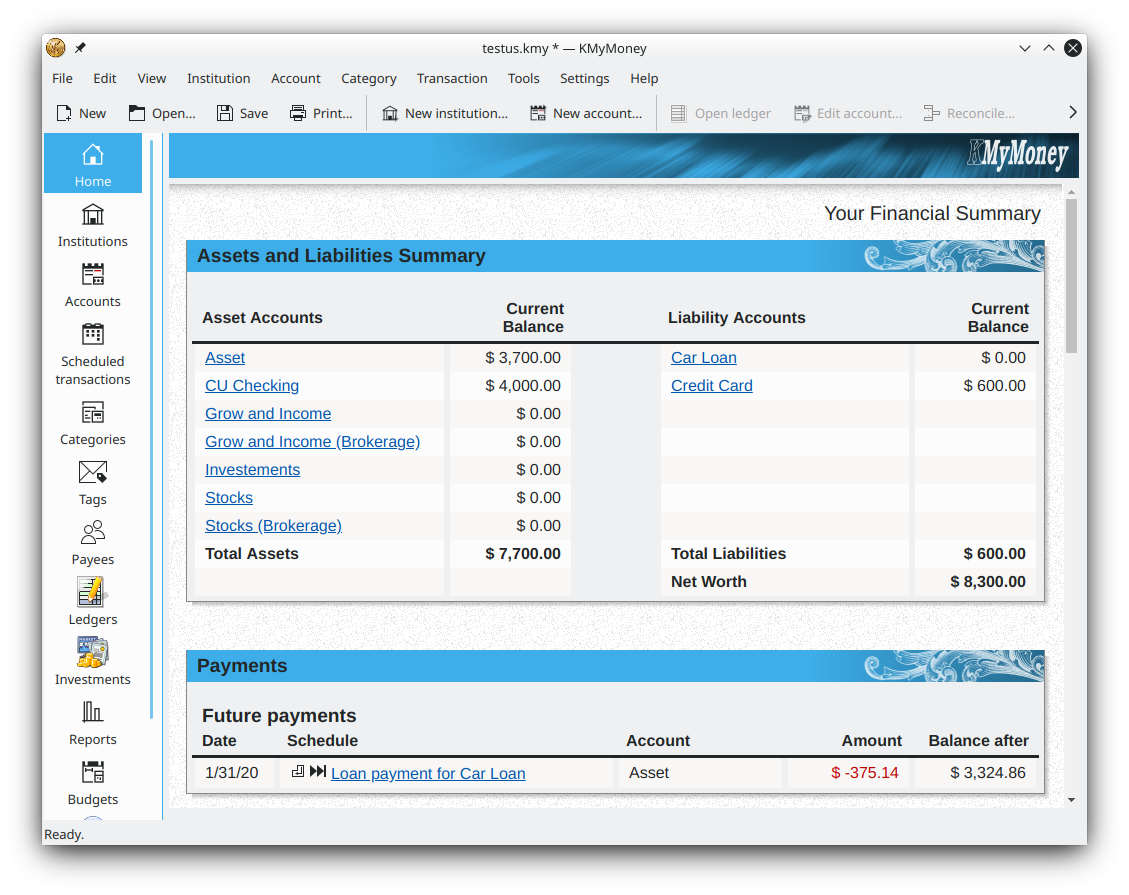
Two free, open-source double-entry finance apps compared side by side, so you can pick the one that fits how you track money.
Download KMyMoneyKMyMoney vs GnuCash is a comparison of two free, open-source double-entry finance apps that cover much of the same ground. Both are released under the GNU GPL with no paid tier, both run on Windows, macOS and Linux, and both keep your data in a local file rather than the cloud. The practical difference is focus: KMyMoney leans toward everyday personal-finance users with a familiar register and guided setup, while GnuCash reaches further into formal accounting and small-business invoicing. This page lays out the differences row by row and then gives a plain verdict.
| Feature | KMyMoney | GnuCash |
|---|---|---|
| Price | Free, open-source (GPL) | Free, open-source (GPL) |
| Ease of use | Cheque-book register and New File wizard; gentle for beginners | More accounting terminology up front; steeper start |
| Double-entry accounting | Yes, kept behind a familiar interface | Yes, exposed as a formal ledger |
| Online banking | OFX and HBCI/AqBanking import | OFX, HBCI and AqBanking import |
| Investments | Securities tracking with online price quotes | Detailed investment and commodity accounts |
| Business / invoicing | Personal focus; no dedicated invoicing | Customer/vendor invoicing, A/R and A/P |
| Reports | Dozens of ready-made personal reports and charts | Extensive, highly customisable reports |
| Platforms | Windows, macOS, Linux | Windows, macOS, Linux |
| Learning curve | Lower for personal finance | Higher, but rewards accounting users |
The clearest way to understand KMyMoney vs GnuCash is to watch how each behaves when you sit down to record a week of spending. In KMyMoney you open an account and type straight into a register that mirrors a paper cheque book: date, payee, category, amount. Autocompletion remembers the payees and categories you use, so a routine grocery entry takes a couple of keystrokes, and the double-entry bookkeeping happens quietly in the background. GnuCash asks you to think a little more like an accountant. Its account tree and ledger make the debits and credits visible, which is powerful once it clicks but adds friction on day one.
Reporting tells a similar story. Both apps ship dozens of reports covering net worth, cash flow, spending by category and investment performance, and both let you save customised versions. KMyMoney's reports are tuned for a personal-finance reader out of the box, while GnuCash gives you more knobs to build formal statements. Neither app charges for any of this, and neither locks reports behind a paid tier, so the decision comes down to how much accounting structure you want to see rather than what you can afford.
Choose KMyMoney if you mainly track personal accounts, budgets and investments and want to be productive fast. The register feels like a cheque book and the wizard sets you up in minutes. Start with the KMyMoney tutorial, then download it free.
Choose GnuCash if you want small-business invoicing, accounts receivable and payable, or a more formal ledger, and you do not mind a steeper learning curve to get there. Its accounting depth is its biggest advantage.
Because both apps import QIF, OFX and CSV, you can trial one and move history through those formats. There is no perfect one-click conversion, so review your accounts and categories after any import.
See how KMyMoney compares with a paid program in KMyMoney vs Quicken, learn the basics in the KMyMoney tutorial, or return to the KMyMoney home page for the full feature overview.
Free and open-source for Windows, macOS and Linux — no cost, no trial limit, no ads. Current version 5.2.2.
Download KMyMoney See features